How AI Website Tools Are Reshaping Web Design Education
Every time a significant new category of tools enters web design, educators face the same question: does this change what we teach, or just how we teach it? I have been working through that question seriously over the past year as AI-powered website tools have become genuinely capable – not just impressive in demos, but useful in real workflows. My honest answer: both, but not in the ways the loudest voices in either camp tend to claim.
The designers who dismiss these tools as irrelevant to real work are making the same mistake as those who claim they make design skills obsolete. The truth is more specific and more useful than either position. Let me explain what I mean using uKit AI as a concrete case, because concrete cases are more useful for students than abstract debates.
What uKit AI Actually Does
uKit AI is not a tool for generating a website from a prompt. It is a tool for upgrading a website that already exists. You give it a URL, it analyzes the site’s structure and content, and it produces a modernized version in about ten minutes – mobile-responsive layout, HTTPS, updated visual conventions, cleaner underlying code. The content from the original site carries through. Only the presentation changes.
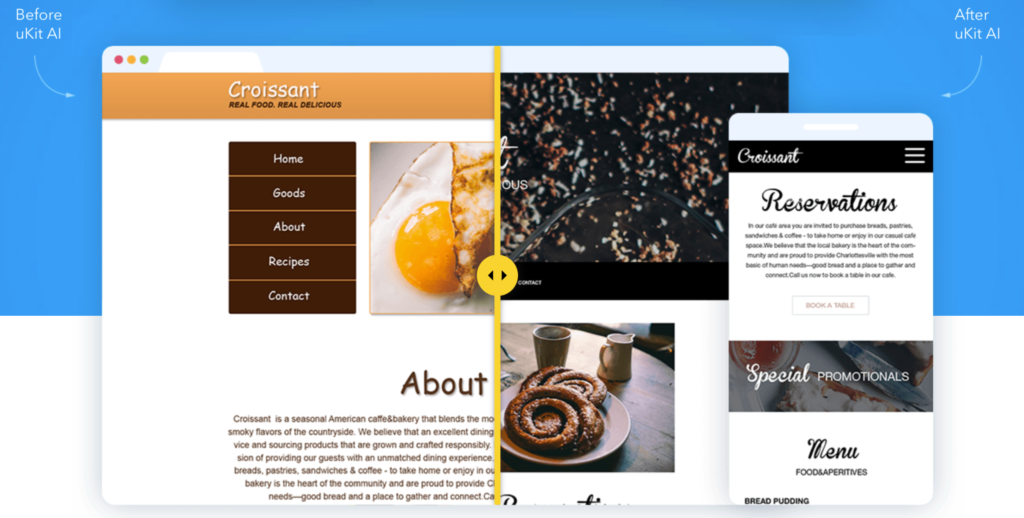
This distinction matters for education because it makes the AI’s decision-making visible. You can compare the before and after and ask: what did the AI change, and why? The answer, consistently, is that it replaced outdated defaults with current ones. It applied contemporary layout conventions. It fixed technical problems. It did not make brand choices, structural judgments about information hierarchy, or decisions about what a visitor to this specific site needs to see first.
That is where the educational value starts.
What the Tool Reveals About What Design Actually Is
For students who have not yet developed a clear sense of where conventions end and design judgment begins, watching an AI upgrade tool work is a genuinely useful exercise. The tool is excellent at the conventions layer – the rules-based operations that define what a “current” website looks like. Responsive grid. Consistent spacing. Type hierarchy. HTTPS. These are learnable patterns, and they can be automated with increasing reliability.
What the tool cannot do is operate on the interpretation layer – the decisions that require understanding of the brand, the audience, and the goal. Why should this site feel authoritative rather than approachable? Which service should lead on the homepage for this specific business and its specific customer base? What is the one thing a first-time visitor needs to understand within five seconds? These questions have no answer in the DOM of an existing website. They require human judgment grounded in context.
For students, seeing this boundary clearly is more useful than any number of lectures about why design matters. The tool shows the boundary by working right up to it and stopping there.
What Students Still Need to Learn – and Why
The skills the AI handles well are the same ones that historically took students the longest to practice before they felt competent: responsive CSS, layout structure, cross-browser behavior, basic accessibility patterns. The question this raises for educators is whether drilling those skills in the traditional way still makes sense when a tool can produce a functional responsive layout in ten minutes.
My answer: yes, but with a different framing.
Students still need to understand responsive design deeply. Not because they will always be building it from scratch, but because they need to be able to evaluate and improve what AI tools produce. A student who does not understand why a responsive layout breaks in certain situations cannot fix the AI’s edge cases. A student who cannot read CSS cannot make intentional departures from the defaults the AI applies.
The pedagogical goal shifts. Instead of “build a responsive layout from scratch,” the goal becomes “understand responsive layout well enough to direct, critique, and improve what AI produces.” That is a different skill with the same underlying knowledge requirement – but it changes how you teach it and what you hold students accountable for.
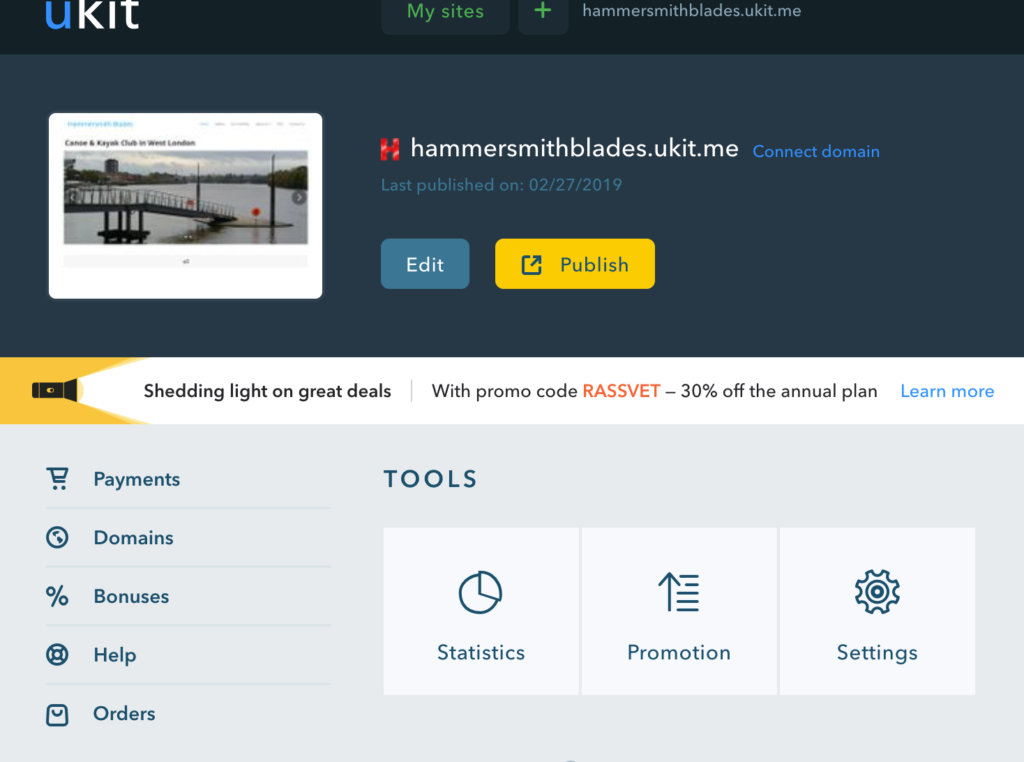
For students who are working with clients who have limited budgets and need something live quickly, tools like uKit give them a practical way to deliver value while their deeper technical skills are still developing. I recommend it specifically as a training ground: build your first real-world client site in uKit, apply the design principles from the course immediately, develop your eye for spacing and hierarchy in a live environment. The feedback loop is faster and more honest than working only on exercises.
The Evaluation Skill as a Learning Objective
One of the most useful exercises I have started building into courses is what I call a critique pass – taking an AI-generated or AI-upgraded version of a real site and asking students to evaluate it. What did the AI get right? Where did it apply defaults that are not appropriate for this specific brand or audience? What would you change, and why?
This exercise develops the interpretation layer directly. Students have to articulate design reasoning – not just “this looks better” but “this creates the wrong visual hierarchy because this business needs to lead with credibility markers, not service listings.” That kind of reasoning is what employers and clients actually need, and it is harder to develop through exercises than through criticism of real outputs.
The evaluation skill also transfers to every other category of tool students will encounter. When a student can evaluate which web design conventions an AI applied correctly versus which ones need human override, they can apply the same thinking to evaluating whether a survey tool is set up to collect the information it claims to collect, or whether a calculator tool is asking for the inputs that actually matter. The comparison in SurveyNinja vs SurveyMonkey is a useful example of what that kind of evaluation looks like in a different category – not just features listed side by side, but a real-world test of what each tool actually does in practice. That evaluative approach is a transferable skill.
The Tools That Fit Where Students Are
Students at different stages of learning need different tools. Early-stage students benefit from low-friction environments where they can apply design principles immediately without getting stuck on technical implementation. That is what I recommend uKit for – not as a substitute for learning Webflow or HTML/CSS, but as an environment where design thinking can happen while those skills are developing in parallel.
For working with clients who have interactive tools to add to their sites – pricing calculators, scope estimators, quote requests – students also need to know what options exist at different price points and complexity levels. The comparison of Affordable Calculator Builders for Small Businesses is exactly the kind of practical tool knowledge that serves students when they are advising a first client. Knowing which tool is right for a $500 budget versus a $2,000 budget is a real client service skill, and it develops the same evaluative thinking as critiquing an AI-generated site.
The Skill That Matters More, Not Less
If there is one conclusion I keep coming back to as I watch this category of tools improve, it is this: as AI handles more of the execution layer, the premium on judgment increases. Students who can direct AI tools intelligently – who know what to ask them to do, how to evaluate what they produce, and when to override the defaults – will be more valuable than those who can only execute manually or, conversely, only accept AI outputs uncritically.
This is not a comfortable message for curricula built around tool mastery. Learning Figma or Webflow deeply is still valuable – but those tools are themselves increasingly AI-augmented, which means the underlying skill being tested is always judgment, not just execution.
The Honest Conclusion
AI website tools are reshaping what it means to be a competent web designer, not by making design easier but by changing which parts of design require human attention. The conventions layer is increasingly automated. The interpretation layer – understanding brands, audiences, and goals well enough to make design decisions that serve them – remains fully human. Teaching students to work at the interpretation layer, using AI tools to handle the conventions layer efficiently, is what web design education needs to get better at. Not ignoring the tools, and not overstating what they do.